
How to Become a Squarespace Designer in 2026!
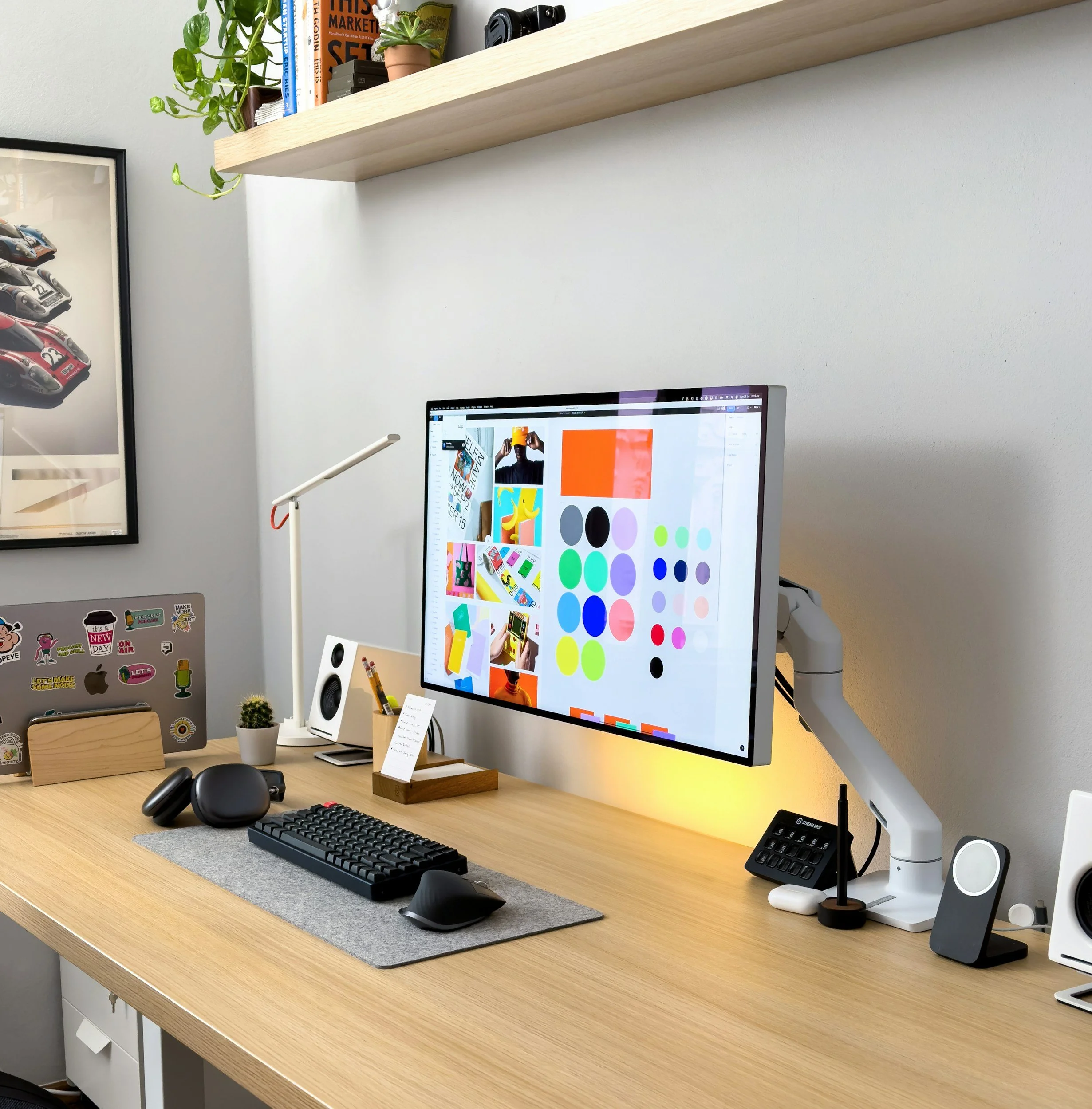
Tips and insights into how I became a Squarespace website designer, and how you can too!
Table of Contents
Graphic Design vs Web Design vs Visual Design vs Web Development
What is Graphic Design?
What is Web Design?
What is Visual Design?
What is Web Development?
Why I Chose Squarespace Over Other CMS Platforms
Squarespace
Webflow
WordPress
Shopify
Top Courses That Helped Me Become a Squarespace Designer
I Love Creatives Squarespace Design Course
Paige Brunton’s Square Secrets Business Course
(Potentially additional courses—if any are mentioned later in the post)
My Journey Into Squarespace Design
Before I got started with web design, I was unsure if I wanted to do web design or graphic design.
I was spending a lot of time researching the different programs that teach graphic/web design and trying to decide the best fit. The research phase was a big endeavor.
There are so many programs and courses. It can be overwhelming to try and choose. Should I go to a university and get a degree in graphic design or should I learn by taking online courses?
I have a bachelor's degree in anthropology and still haven’t finished paying back my student loans, so I didn't want to start all over again at a university acquiring more debt.
The universities charge mega mucho dinero for graphic design degrees, and to be honest, I wanted to dip my toes in first before dishing out the benjamins. Online courses seemed like the way to go for me!
First, I had to decide what I wanted to learn. Did I want to learn web design, web development, graphic design? There are so many choices.
Let me break down the differences for you. Skillcrush an online school for learning tech gives great definitions for the different disciplines. I will list them below.
First I researched the design niche I wanted to focus on.
Graphic design- “is a process of visual communication through typography, colors, and use of space. They usually work on print-based deliverables, but these days they do logos or icons, and even design websites.
They are also experts in branding and are assets to many businesses because they are trained in developing brands from scratch.”
Web design- “UX- (user experience design) and UI- (user interface design), what it’s like to move around an app or a website.”
To sum that up, you are collecting information from your client and displaying/designing it in a way on a website platform of your choosing such as Squarespace, Wix, WordPress, or Webflow often referred to as a CMS (content management system) that is true to your client's brand and business goals.
Photos, typography, layout, and color palettes are used to tell a story visually. A graphic/visual design background is essential, so you know how to design a website properly. There are best practices to follow.
Visual design- “Visual design is like an umbrella that covers all different types of design. The main goal of visual design is to communicate a unified consistent visual message to a target audience.
They use web design, graphic design, and identity design to create holistic designs that travel across a variety of print and web mediums.”
Web Development- “Web development usually refers to the non-design aspects of building websites: writing markup and coding.”
Practice makes perfect!

I ended up studying visual design because I felt like overall it was a good introduction to the graphic design and web design world and that it would give me a step up when learning how to design Squarespace websites.
Many clients who want websites sometimes don’t have any branding in place for their business, so it’s important to understand design fundamentals before you start building websites for clients.
Having a background in visual design or graphic design will help you become a better web designer and you’ll therefore be able to serve your clients better.
If you are not going to specialize in branding it’s not necessary to go very deep into the branding aspect of visual design, but you must understand it because web design is intertwined so to speak with graphic/visual design. Many of those elements translate into web design, so a good foundation is key.
I took the visual design course from an online school called Skillcrush. It was really helpful and I learned Photoshop, illustrator, and InDesign as well as how to brand businesses.
The course was easy enough for people who had no prior design experience to learn but challenging enough to keep them interested.
It was not an in-depth course. It was a basic course, so if you already know the Adobe design programs, I wouldn't recommend this course.
If you don't have a big budget for a course, there are other options like Udemy, Lynda, and other courses like Bring your own Laptop where you can pay a small monthly fee and learn that way.
Skillshare also has loads of graphic and visual design courses for a small monthly fee, which is the way to go if you just want to learn the basics.
I then started doing free work for friends who needed designs for their businesses to get more practice and hone my skills before working with clients. Internships are great ways to learn and practice as well before you officially put yourself out there.
Do you need to learn code?
After taking the visual design course and putting into practice what I learned in the course, I wanted to learn how to code (web development) because I wanted to play a role in making the site go live.
Normally web designers use their visual design skills in Figma, Photoshop or Illustrator to make a web design prototype.
At that point, the site is not live yet. It has to be coded into existence and if you don't know how to do that, then you have to hand over your design to a developer.
I wasn't really into it handing over the design and wanted to be a part of the whole process, so I figured I should learn to code. In tech slang, people who can design and code are called unicorns.
There are tons of free and paid courses out there to help you learn the basics. Through my research, I learned there are web design platforms where you can design and at the same time make your site go live without coding it manually, which is a HUGE plus and saves time.
Some of the web design platforms out there like WordPress, Web-flow, and Squarespace allow you to design a site and launch it without coding it manually, but the code option is there if you need to.
It’s helpful to know the basics of coding in case you want to customize websites more, but not necessary.
I chose Squarespace as a platform to design websites with because the ease of use is pretty intuitive and works best for me. I’ll explain each platform and why I chose Squarespace.
The different CMS platforms that web designers use to build websites.
Just to throw out some tech terms, so you are familiar with them. All the different platforms to design in are called content management systems, often referred to as CMS. Make sure you remember cuz I am going to quiz you later. 😁
Squarespace-
Even though it is tailored towards people with no design experience, there is a bit of a learning curve. Because of the learning curve, there is a growing demand for professional help.
People don’t have the time or the understanding to put much energy and thought into how to make their site look unique.
For example, let's say you have a yoga studio and you pick a yoga studio template, and you start swapping out the information on the template with your own information.
Other yoga studios are doing the same thing, so the site isn't going to stand out from the others in any way unless time and energy are put into it.
People reach out to expert designers to help them customize their websites because they don’t know how to do it on their own.
Most DIYers don’t want to put countless hours into learning web design.
There’s a lot of thought that goes into designing and building a site, like UX and UI design, graphics, typography, SEO optimization, good color and space relationships, and much more.
Web designers also know how to set up your website for conversion.
Good web designers know how to optimize websites, so they perform well in google searches. Every step of laying out a website is done so with the client’s business goals in mind, so it’s set up for success from the door!
Squarespace is a DIY software system that makes it easy to use for both designers and people with no experience to use.
Hence, designers like to use it for their clients because it’s a very intuitive web builder, making it less difficult for the client to manage when you hand it off to them. Check out my article for why I use Squarespace to design for clientsfor more info.
Web Flow-
The designer interface is pretty complex; especially for those without any prior knowledge of basic web development.
There is a learning curve of course, but with any platform you use, there is a great deal of learning and practicing to get good at it. Web Flow is gaining popularity and many designers like the freedom that Web flow offers when designing.
There is no template to customize, it’s a blank slate to design on which makes it a pretty popular CMS.
WordPress-
It is an open-sourced platform meaning that anyone can change the functionality of the software.
People purchase plugins to make the site more customized. If you buy a plugin from an inexperienced developer and use it, it could negatively affect your site.
WordPress is supposed to be easy for clients to use, but many clients have difficulty using it and spend money to hire developers to maintain it for them.
I was working with a client that used WordPress to host their website, and it was literally down all the time. I redesigned her website on Squarespace instead, and we’ve never had a problem with the site not working.
The problem could’ve been that she was supposed to be making updates herself on WordPress, but because she is so busy running a business, she doesn’t have time or the know-how to be messing around in the back end of her WordPress website checking for and installing updates all the time, so the outcome was that her website wasn’t working which was a real bummer.
Squarespace is a closed source platform, meaning you don't have to add fancy plugins to make it function/look good because the developers have already included everything that makes a great website already in the backend. They take care of the backend stuff when updates need to be made including all security implementations.
For WordPress, it’s up to you to keep it updated. If you have a lot of plugins on your site, you will have to manually update them, which doesn't sound like fun to me! WordPress is a great deal of maintenance, whereas Squarespace once it's built you can leave it alone.
Shopify-
Shopify is great for e-commerce brands and it’s quite a robust platform for businesses who are wanting to have an online shop and deliver a great shopping experience for users.
It’s DIY friendly, but with that being said there’s a lot of nuances when it comes to setting up an online shop. Product descriptions, shipping protocols, email marketing, and SEO all play a role in building a successful shop for a client, so it requires a good amount of practice and experience to get the hang of building e-commerce shops for clients.
The templates are pretty basic, so if you want to customize it, you’ll have to have an understanding of Shopify’s liquid coding language which takes a bit of patience and perseverance to learn.
There you have it, folks! You can see the reason I chose to be a Squarespace designer…it's less complicated for clients and designers than the rest.
The best Squarespace web design and business courses I took.

There’s no particular order of importance, all of these courses were equally good and helped me stand out as a Squarespace website designer.
Keep in mind this list is NOT all web design courses…below you’ll find a list of different types of courses that all contributed to helping me become a well-rounded web designer.
1.) I Love Creatives Squarespace Design Course
I Love Creatives Squarespace Design course is great for beginners, experienced designers, and everyone in between.
You’ll learn everything from how to pick out Squarespace templates, to designing websites that stand out from the rest using custom typography and other design elements.
You’ll learn how to turn a template upside down, inside out, and spin it around on its head! No joke!
Ok, I might be exaggerating a bit, but you get the idea. The biggest takeaway is that after taking this course, you’ll create unique websites that stand out in the marketplace, which will make you more valuable as a designer because clients want to work with designers who deliver websites that aren’t cookie-cutter.
The course focuses on how to customize Squarespace templates utilizing code. There are 4 levels, and each level builds upon the other, so by the end of the course, you will have flexed your Squarespace design skill muscles!
The course doesn’t teach you how to code per se but instead teaches you how to use code to come up with unique layouts which is a valuable skill to have if you want to stand out as a designer.
There is also a huge resource section that Is full of content that I am constantly referring back to even years after taking the course.
Did I mention the actual course is gamified! The I Love Creatives Squarespace Design Coursewas designed in a way to keep the student progressing through the different interactive portals.
Puno keeps you entertained throughout the entire course with her side commentaries and fun gifs! Feedback is also given on the sites you design from your instructors.
The feedback from the instructors is the most valuable part of the course and it’s what helped me become a better web designer because I was able to learn from some of the best web designers in the industry firsthand.
If I didn’t get those critiques I would have remained an average web designer and wouldn’t be able to charge as much for my services. The critiques alone are worth so much and will help you level up your design skills.
There is also a Slack group, where other students share the feedback that they’ve received from the instructors, which gives you the opportunity to keep learning!
Please be sure to ADD MY NAME, Danae Bloise, at checkout, as someone who referred you, if you purchase the course:)
2.) Paige Brunton- Square Secrets Business Course
The most challenging part of starting a web design business for me was onboarding clients and sales calls. I was too busy learning how to design websites to even really put much thought into what happens when it’s time to start working with clients.
When I was ready to start working with clients, I felt super overwhelmed because I had no idea what process I was supposed to follow, so my clients could have a streamlined way of working with me.
The truth is, you can be the best designer in the world, but if you have no idea how to talk to and book clients for your web design services, it’s going to be tough getting your business off the ground.
I wish someone had told me how important it is to have a client process in place for a web design business, because I was genuinely surprised when I started working on this part of my business. That’s why I am emphasizing it.
Giving your clients a great experience is key to having a profitable Squarespace web design business.
For example, let’s say you booked a fancy retreat in paradise somewhere and you're super excited to get there and relax, but when you get to the retreat everything is unorganized and you have no idea what’s going on.
It ruins the trip for you because no matter how pretty the environment is, you still have no idea what time the yoga classes start. Metaphorically speaking, it is seriously parallel with the web design process.
You can have a beautiful, well-designed website and hand it off to the client, but if the process to get there was a huge mess, the clients are going to remember that, and they won’t be thrilled with how everything turned out.
Paige’s course provides step-by-step instructions on how to onboard clients with ease and confidence, enabling you to deliver a great experience.
Paige takes the mystery out of how to onboard clients and gives you a step-by-step client process to follow with every client, so you’ll feel confident doing sales calls and getting those proposals signed with ease.
If you’d like to learn more about the course Paige is offering, she’s hosting a free 3-day Bootcamp!
The Bootcamp opens for enrollment on September 8th, and it starts September 22–24, 2025, and is a great way to get a hands-on introduction to the course.
If you’d like to read the review on the course, click here!
**The difference between this course and Ilovecreatives’ Squarespace course is that this course does not teach you how to design Squarespace websites; it teaches you how to become a web design business owner.
The Ilove creatives course focuses mostly on web design and how to build websites using Squarepsace!
To take $25.00 off the Branding With Bre Course use code thxdanae in the discount code field at checkout!
The difference between this course and the iLove Creatives SquareSpace web design course is that this course teaches you the specifics of how to present branding projects.
This course is an absolute game-changer if you’re wanting to offer branding work to clients.
If you are interested in understanding the best way to set up and present client branding projects this course will help you do just that.
The course comes with Ilustrator branding templates that you can use for your clients as well as jam-packed information to get your branding process up to par, so you can charge more.
What sets an average designer apart from a professional one is how organized the design process is for your clients. Bre teaches the “one concept method” which is an approach that helps narrow down your direction before presenting it to the client.
Bre’s design process is one of a kind and you’ll be learning a succinct way to deliver design assets to clients, from initial consultation call to presenting, and delivering the final files.
My favorite part of the course was how to deliver client files. I was never quite confident in the best way to set up and send final files to clients. I know it’s important to be well organized when working with clients, and I felt like my off-boarding process especially delivering the final files was sub-par.
There is a whole section dedicated to showing you the best way to deliver design assets, which I found extremely helpful and really took my branding process to the next level.
I now feel more confident working on branding projects after taking this course because my design process had so many gaps and holes in them which made me feel unsure of myself when talking with potential clients.
My branding process is more solidified now, and I feel more comfortable taking on these types of projects thanks to the course.
use code thxdanae at check out to take $25.00 off the price of the course!
Copywriting is a huge part of web design, and although you might not be writing copy for clients, it’s still a good skill set to have. Copy that speaks to your ideal client is key to having a website that not only looks good but has the right messaging as well!
Headlines are the first thing that people see when they land on a website, so understanding the art of copywriting and how to write copy will add to your skillset as a designer.
If you want to learn how to make passive income from blogging then this is the course! It’s a simple and straightforward course to help you earn passive income with your Squarespace blog.
You’ll learn some of the blogging techniques that she uses for her own personal blog, which has earned her a good deal of passive income each month.
This Isn’t a course about how to design Squarespace websites. It’s more about how to create a business selling customized Squarespace templates. Kate teaches you all the behind-the-scenes tasks that go into selling Squarespace templates.
You’ll learn all the tech stuff about how to scale your web design business by selling customized Squarespace templates, and much more!
This course helped set the foundation for my graphic design skills. I’ve taken some other illustrator courses but found them to be too broad and I didn’t feel like learning every single tool there is to know about illustrator.
I wanted to learn the stuff that would help my web design business, like how to design logos, graphics, and patterns for clients. Melissa doesn’t teach you how to design a logo per se, but she teaches you the fundamentals of the tools you need to master in order to create logos and other design elements.
She Is a branding designer herself, so she really gets to the heart of helping you master the most important tools, so you understand how to create designs.
I highly recommend this course, it helped give me a strong foundation to grow from and gave me more confidence to dive into illustrator and create!
She also has another course called Icon Family Fun, If you are wanting to learn how to design icon graphics for your web and branding projects, check out the course!
If you're wanting to understand how to create branding projects for clients from start to finish than check out Melissa's course called Balenced Branding,
The course will help you wrap your head around how to execute branding projects for clients. It can be confusing to know where to start and how to present your work to clients.
Melissa is an experienced brand designer herself and she teaches everything you need to know to deliver and create an amazing experience for your clients!
Having an SEO background is essential to building websites. After all, if no one is finding your client’s business online, it will be difficult for them to make sales. If you’re working in Squarespace there are a lot of SEO settings one needs to fill out for the website to rank accordingly.
Kate Scott’s course walks you through everything you need to know to incorporate SEO into your website design, so you can feel confident knowing that your website designs incorporate SEO best practices. Check out her course to learn more!
This is a great course from a seasoned and experienced website designer and all-around good human Christy Price. This course is perfect if you need a step-by-step guide to onboarding clients. To keep clients coming back, you need to have a web design process that is dialed in. If you create a beautiful website for your client, but the process of getting there is a mess, your clients will remember, and it could affect getting good referrals.
Your website design process is the foundation of your business, and needs to be streamlined to grow your business! Take the guesswork out of how to onboard clients, create proposals send emails, and learn from someone who has a successful web design business. It’s worth the investment!
Right now, it’s on sale for $997 (regularly $1497), but only through August 27th.
If you want to learn how to create a digital product, this course is for you. Get the inside scoop on how to create digital products in Squarespace!
This workshop is perfect for those looking to learn how to grow a successful web design business. Gain insights from a thriving Squarespace designer as she shares her journey, the essential steps to becoming a Squarespace expert, and a behind-the-scenes look at how she got started!
Here’s a list of some books that I found to be super helpful as a freelance web designer:
BOOKS:
1.) The Coaching Habit- A great book to learn about how to talk with clients on sales calls. Check out the book to learn ways to communicate effectively with potential clients, like what to say, and things you should avoid.
2.)You Are A Bad Ass- This book is all about how to feel confident when you're blazing your own trail. It's a great personal story of how to overcome obstacles and challenges that come along when starting your own business.
3.)The Courage To Be Disliked- All about how to overcome fear when you're trying to start something new. It's way beyond a self-help book and helps you get beyond the fear of rejection, and find ways to overcome self-limiting behaviors.
4.)The Win Without Pitching Manifesto- A helpful book to help you wrap your head around sales calls and the best way to nail down your pitch when getting on the phone with clients, so you can introduce them to your services.
I struggled with this so much in the beginning. It was such a struggle speaking with potential clients because I have never done sales before, so I needed all the help I could get. Onboarding clients is a major part of your business, without clients you are not getting paid!
Having a good understanding of sales and how to approach it in your business is something that shouldn’t be overlooked.
In the beginning, it’s going to be super awkward and uncomfortable talking with potential clients. But there is a saying to “take messy action'‘ and start from somewhere. Having a bit of practice and an understanding of sales will get you off to a good start.
It took me about 10 phone calls to start getting the hang of it, so don’t worry if you don’t feel 100 percent confident, especially if it’s something you’re not used to doing.
5.) Building A story Brand-The Author Donald Miller teaches you the power of how to use stories to create sales messages.
There’s a lot of practice and learning to be done to become a well-rounded Squarespace designer.
Ok, so that was a mouthful!! I want to mention that getting from point A to point B requires a ton of work. I think sometimes people make it look easy, but it’s not easy learning from scratch and you have to actually “do the work” to be successful, there’s no magic in it at all.
You can’t skip the steps in between. It takes time, effort, and discipline to develop your skills. Being a freelancer is starting your own business, so there will be a lot of ups and downs, trial and error as you go along. If you stick with it, are patient, and sew the seeds over time they will fructify. Good luck, and please feel free to ask any questions below!
*** Please note that this post contains affiliate links and any sales made through such links will reward me a small commission – at no extra cost to you, which will help keep the lights on!
Feel free to contact me if you have any questions about any of the courses!
